Use this procedure to add a tenant to 365sentri. You can synchronize the tenant from Microsoft Partner Center, or you can add the tenant manually.
video · Add a Tenant
Select a method
There are two ways to add a tenant to 365sentri:
- Synchronize from Microsoft Partner Center
The tenant is in Partner Center, and Partner Center is connected to 365sentri - Add a tenant manually
The tenant is not in Partner Center, or Partner Center is not connected to 365sentri
Note You can add a tenant manually now and add it to Partner Center later. When 365sentri synchronizes Partner Center, it does not make a duplicate. The tenant continues to operate correctly.
Synchronize from Microsoft Partner Center
365sentri synchronizes the connected Partner Center accounts automatically. A tenant that was added to Partner Center in the last 24 hours possibly does not show in the list yet. Use this procedure to synchronize Partner Center immediately.
Before you start
Make sure that you have these items:
- A Microsoft Partner Center account that is connected to 365sentri
- The tenant in that Partner Center account
Procedure
In the Tenants view, click Sync from Partner Center.
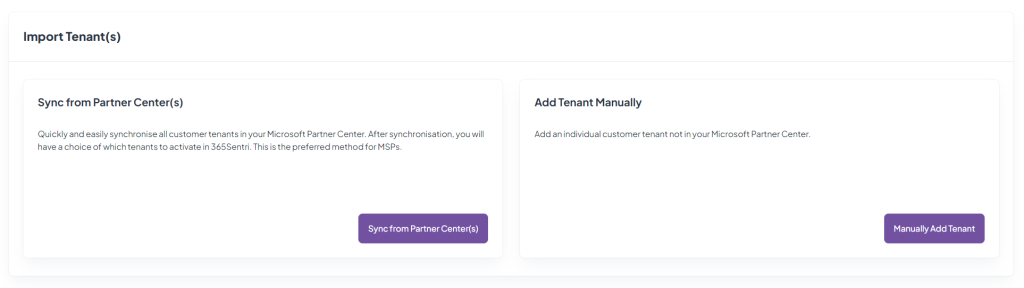
Make sure that the tenant shows in the Tenants view.
Activate the tenant. Refer to Activate Tenant.
Add a tenant manually
Use this procedure if the tenant is not in Partner Center, or if Partner Center is not connected to 365sentri.
Before you start
Make sure that you have these items:
- A domain of the tenant (any domain, including the onmicrosoft.com domain)
Procedure
In the Tenants view, click Manually Add Tenant.
screenshot · Manually Add Tenant
In the Organization Name field, type the name of the tenant.
Note This name shows only in 365sentri. You can change it later. Refer to Tenants List.
In the Domain field, type a domain of the tenant.
Make sure that Tenant Found shows next to the Domain field.
screenshot · Tenant Found next to the Domain field
Note If Tenant Found does not show, make sure that the domain is correct.
Click Save. The activation wizard opens.
Complete the activation wizard. Refer to Activate Tenant.