Create an API Integration in InvGate
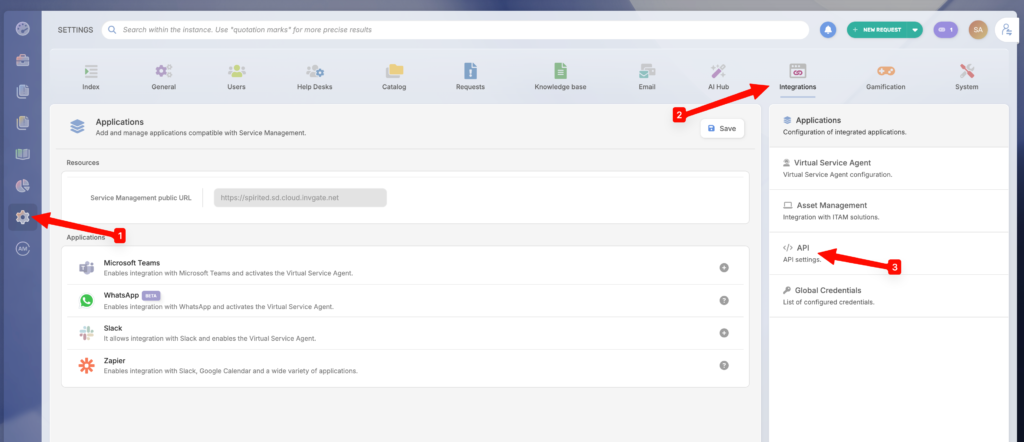
- Navigate to:
Settings → Integrations -> API
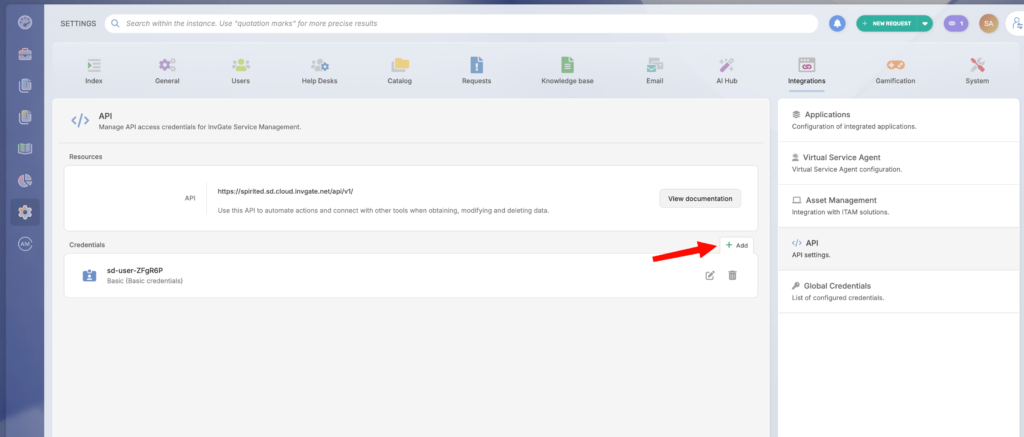
- Click on Add at the top of list of integrations
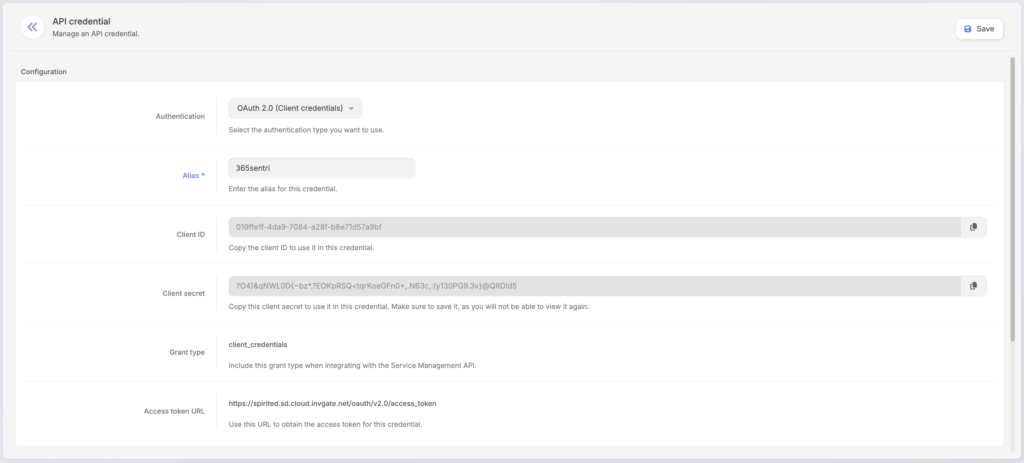
- For Authentication select “
OAuth 2.0 Client credentials“ - For Alias enter “
365sentri“ - Copy and save for safe keeping the Access token URL, Client ID and Client secret
This will need to be entered into 365sentri to enable the integration
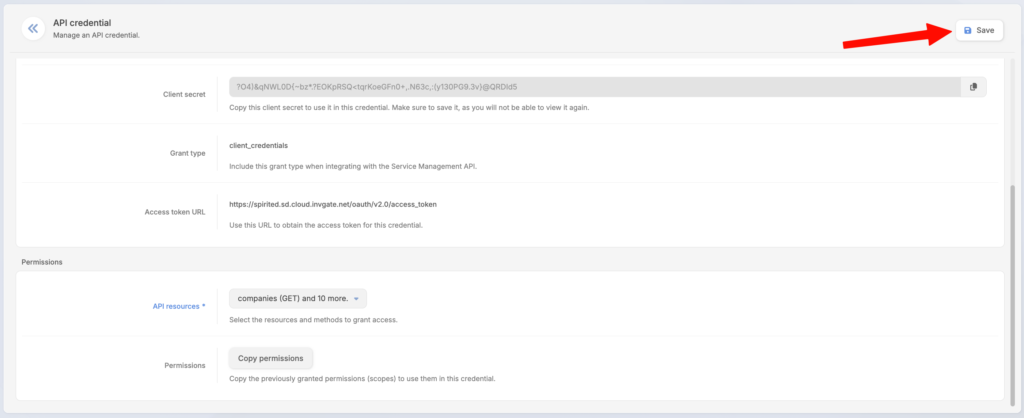
The following permissions must be selected
companies (get)companies.users (get)incident (get)incident (post)incident (put)incident.comment (post)incident.reopen (put)- (Incidents)
categories (get) incident.attributes.type (get)incident.attributes.priority (get)incident.attributes.status (get)incident.solution.accept (put)
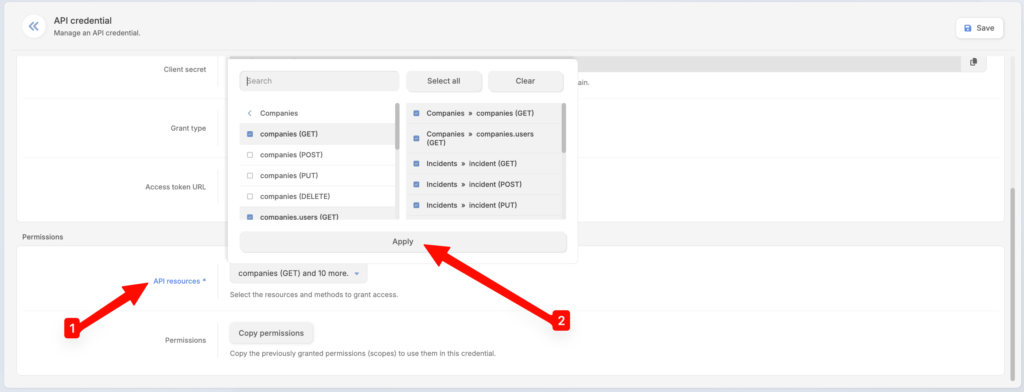
Click Save